

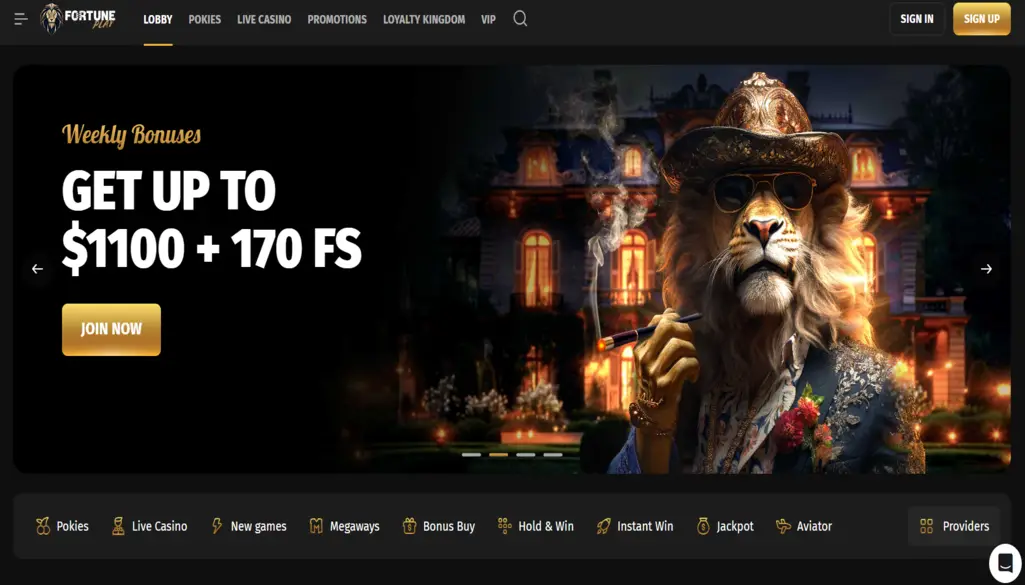
Choosing a game is easier when the lobby is treated as a filing system rather than a wall of thumbnails. Fortune Play presents casino content through broad formats, feature-led categories, providers, themes and search tools, while live tables sit in a separate area from slots and other games. For New Zealand adults, the most useful approach is to understand what each label means, narrow the field gradually and check the details of a title before playing. This makes browsing more deliberate without confusing variety with suitability or value.
Start with the format that matches your intention
The quickest route through a large lobby is to begin with the type of experience you want, rather than scrolling through every release. The main categories include Pokies/Slots, Jackpot, Bonus Buy, Megaways, Instant Win, Drops & Wins, Hold & Win and Table Games. These labels describe broad mechanics or formats, not guarantees about prizes, return or entertainment value. A slot may appear in more than one collection if it combines several characteristics.
Slots are generally the widest group and may then be divided into themes such as Classic Slots, Book Slots, Mythology, Fruit Slots, Asia and Vikings. Feature-based sections can be more useful when you already know how a game tends to play. For example, Megaways points to a particular changing-reel format, while Hold & Win usually signals a bonus mechanic involving special symbols. Instant Win games are designed around quicker rounds, but “quick” should not be mistaken for lower risk.
Jackpot games deserve separate attention because their prize structure can differ from ordinary titles. Drops & Wins and similar labels may refer to promotional or feature mechanics whose conditions vary. Read the information displayed with the game instead of assuming that a category carries identical rules across every title. If you are unsure, open the game information panel first and note its provider, paytable, available features and any stated restrictions.
How can search and provider filters reduce the clutter?
Once a broad category has been selected, search is usually the most efficient tool for locating a known title. Entering part of a game name can be quicker than browsing several themed rows, particularly when a lobby contains releases from many studios. Search is also useful for checking spelling variations, finding a sequel or returning to a title seen earlier. It should narrow the list, not replace checking the game’s information.
Provider navigation offers a different kind of shortcut. The catalogue lists studios including Pragmatic Play, Play’n GO, NetEnt, BGaming, Booming Games, Hacksaw Gaming, Big Time Gaming, Relax Gaming, Wazdan and others. Players who recognise a studio’s visual style or common mechanics can use the provider filter to create a more familiar shortlist. However, a provider’s presence does not mean every title is available to every user or market.

Use filters in stages rather than applying every option at once. A practical sequence is category, provider, then theme or popularity. After that, compare only a handful of titles. Lobby labels such as “popular”, “new” or “exclusive” describe how the site groups or promotes games; they do not establish that a title is more suitable, more likely to win or statistically superior. Availability can also change because individual games and studios may be affected by country or provider rules.
Separate live tables from the standard casino lobby
Live casino content is best approached as its own section because it differs from automated games in pace, presentation and table structure. The live area includes Blackjack, Roulette, Baccarat, Poker and Game Shows, along with sections for popular tables and other live products. A player looking for a conventional slot should not need to work through these menus, while someone seeking a streamed table can avoid unrelated releases by entering the live section directly.
Within live categories, table names can still be confusing. Variants may use different limits, side bets, rules, layouts or speeds, even when they share a familiar title. Examples listed in the catalogue include Lightning Roulette, Speed Baccarat, Gravity Blackjack, Crazy Time and Mega Wheel. Treat the name as an invitation to inspect the table rules, not as proof that two similarly named games operate identically.
Before choosing a live table, check the displayed limits and whether the pace suits you. Faster tables may leave less time to consider each decision, while game-show formats can feel more like entertainment than traditional table play. The live lobby is also separate from sports betting, esports and prediction products. Moving between these areas does not make their rules interchangeable, so confirm that you are in the intended product before selecting a market or game.
What should be checked before opening a title?
A thumbnail tells you very little. Open the title’s details and identify the provider, game type, basic objective and any special features. Look for information about paylines or ways to win, bonus rounds, symbol functions, minimum and maximum stakes where shown, and whether the game is a standard release or a modified version. These details help you compare games on structure rather than artwork or promotional placement.
Pay particular attention to feature-led labels. A Bonus Buy section may contain games with an option to enter a bonus round through a separate purchase, but the availability and terms of such features can differ. Hold & Win, Drops & Wins and Megaways titles can also use distinct mechanics from one another. A short demonstration or a few rounds may explain the interface, but it cannot prove the long-term return, volatility or likelihood of a result.
It is sensible to set a browsing boundary before moving from research to play. Decide which category you intend to use, how long you will spend and what amount you are prepared to lose, without treating gambling as income. For wider information about gambling support and safer choices in New Zealand, the Gambling Helpline’s public resources provide an independent starting point. If a game’s rules or availability are unclear, check the operator’s stated information before proceeding.
Use a repeatable route instead of chasing every new release
A simple navigation routine can make a large lobby less distracting. Begin with one purpose: for example, finding a table game, comparing jackpot titles or browsing a particular theme. Select the relevant category, apply one filter, and open only titles that meet your criteria. Save or note names that genuinely interest you if the account interface provides that option, rather than opening every recommendation in sequence.
New and exclusive sections can be useful for seeing recent additions, while popular collections show what the lobby is currently highlighting. Neither section needs to be your default. If you prefer familiar mechanics, provider and category filters may be more practical than constantly changing promotional rows. Returning to a known title can also reduce the time spent making decisions, although familiarity should never be taken as evidence of better odds.
Before leaving the lobby, confirm the final selection and any game-specific information once more. This is especially helpful after switching between casino, live and sports areas, where similar visual menus can lead to different products. A focused route—format, filter, details, then decision—keeps browsing manageable. It also leaves room to stop if the available choices no longer match the original purpose or planned session.
Questions readers often ask about lobby navigation
Are “popular” games better than other titles?
No. “Popular” is a sorting or promotional label, not evidence of better odds, lower volatility or a higher chance of winning. It may reflect recent interest, site merchandising or other internal criteria. Compare the actual rules and features of a title, and choose only within a budget and time limit you have already set.
What is the difference between a provider and a category?
A category describes the game’s format, theme or mechanic, such as Jackpot, Table Games or Megaways. A provider is the studio associated with producing the title. One provider may supply games across several categories, while one category may contain releases from many providers. Using both filters can make a large lobby easier to narrow.
Why might a game appear in one market but not another?
Individual titles and studios can be subject to country, provider or operational restrictions. A game shown in catalogue material may therefore not appear for every user. Availability can also change over time. If a title is missing or its details differ, rely on the lobby currently displayed and check the operator’s stated requirements rather than assuming an error.